
Background
One of our SCCM/MEM servers had it’s primary disk space running a little low. Whilst cleaning up some files, we noticed the IIS logs made up a fair chunk of what we could remove. To save time in the future, I figured there’d be an inbuilt method within the IIS config to automatically remove these logs after a certain date.
In short, there isn’t. I found the following Microsoft article which made the suggestion to setup a script and run it as a Scheduled Task.
Managing IIS Log File Storage | Microsoft Learn
The example offered in the article is a VBScript. I figured, whilst I’m here, it’d be handy to configure a single script to handle all our file maintenance tasks from one location.
The result is as follows.
Overview
A single Powershell script to remove specified files from specified servers in a Windows Domain Environment that are older than a number of specified days.
Each query can be configured to remove files using the following attributes:
- A Friendly Name. This identifies the rule. Set this to something relevant.
- The destination servers Hostname.
- The Local Folder Path where the rule is set to remove files from.
- An Include query. This can be a specific file name, or a wildcard value. For example “*.log” will delete any file from the directory specified and any child items with the .log file extension.
- An Exclude query. The same concept as above, but whatever is specified here will be excluded from the removal.
- DaysOlderThan. This value is set by number of days. For example, if you need to delete files with a timestamp older than 30 days, set “30”.
The queries are configured by adding the following lines with their relevant values. You can add and remove these lines as required:

Based on these queries, the script will iterate through the removal of items and generate a log for each entry. The log contains the list of files that have been removed.
See the images below to get an idea of the log file folder structure:


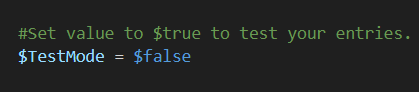
The image above displays a log with a “Test” prefix. This log is generated if the script is configured in Test Mode. Set the boolean value to $True to turn on Test Mode, or $False to disable Test Mode.
Check out the full script from my Github repository below.
Script
| #Server Disk Maintenance | |
| #To be configured as a Scheduled Task. Determine your appropriate host server to perform maintenance tasks against Windows operating systems in your environment. | |
| #Prereqs | WINRM must be enabled on the Target Machines | |
| #Contact | Josh Woods | joshua.woods@jwblog.uk | |
| #Variables | |
| #Set value to $true to test your entries. This will only generate a log of what would be deleted. Set to false if you'd like to put this script into production and delete files based on your queries. | |
| $TestMode = $false | |
| ################### | |
| #Begin Script | |
| ################### | |
| #Prereqs | |
| $Date = Get-Date -Format "ddMMyyyy" | |
| #Set Variables | |
| $CleanupItems = @( | |
| #Examples | |
| #[pscustomobject]@{FriendlyName="DiskMaintenanceTask1";HostName="Server1";FolderPath="C:\Temp";Include='*.log';Exclude='*.txt';DaysOlderThan="7"} | |
| #[pscustomobject]@{FriendlyName="DiskMaintenanceTask1";HostName="Server2";FolderPath="D:\Test\Files";Include='*.log';Exclude='';DaysOlderThan="30"} | |
| #[pscustomobject]@{FriendlyName="DiskMaintenanceTask1";HostName="Server3";FolderPath="C:\users\user\Downloads";Include='*';Exclude='';DaysOlderThan="90"} | |
| #Live Entries | |
| [pscustomobject]@{FriendlyName="SCCMIISLogs";HostName="SERVER1";FolderPath="C:\inetpub\logs\LogFiles";Include='*.log';Exclude='';DaysOlderThan="30"} | |
| ) | |
| foreach ($Item in $CleanupItems) { | |
| #Run Delete Task for each CleanupItem Entry | |
| $Result = Invoke-Command -computername "$($Item.HostName)" -ScriptBlock { | |
| try { | |
| #DaysOlderThan Date Conversion | |
| $DaysOlderThanDate = (Get-Date).AddDays(-$Using:Item.DaysOlderThan) | |
| #Generate List of Files to be Removed. | |
| Write-Output "The Following Items will be deleted:" | |
| Write-Output "`n" | |
| Get-ChildItem -Path "$($Using:Item.FolderPath)" -Include "$($Using:Item.Include)" -Exclude "$($Using:Item.Exclude)" -Recurse | where-object LastWriteTime -lt $DaysOlderThanDate | select-object Name, LastWriteTime, Directory, Length | Format-Table -Verbose | |
| #Delete Command | |
| Write-Output "`n" | |
| Write-Output "Removing Items from $($Using:Item.FolderPath) on Server $($Using:Item.HostName) using the following rule name – $($Using:Item.FriendlyName)" | |
| Write-Output "`n" | |
| if ($Using:TestMode -eq $true) { | |
| Get-ChildItem -Path "$($Using:Item.FolderPath)" -Include "$($Using:Item.Include)" -Exclude "$($Using:Item.Exclude)" -Recurse | where-object LastWriteTime -lt $DaysOlderThanDate | Remove-Item -Recurse -WhatIf | Out-Null | |
| Write-Output "Successfully tested the deletion of files for CleanupItem $($Using:Item.FriendlyName) on Hostname $($Using:Item.Hostname)" | |
| } | |
| else { | |
| Get-ChildItem -Path "$($Using:Item.FolderPath)" -Include "$($Using:Item.Include)" -Exclude "$($Using:Item.Exclude)" -Recurse | where-object LastWriteTime -lt $DaysOlderThanDate | Remove-Item -Recurse | Out-Null | |
| Write-Output "Successfully Deleted files for CleanupItem $($Using:Item.FriendlyName) on Hostname $($Using:Item.Hostname)" | |
| } | |
| } | |
| catch { | |
| Write-Output "Error!" | |
| Write-Output "`n" | |
| Write-Output "$($_.Exception.Message)" | |
| Write-Output "`n" | |
| Write-Output "Failed to Delete files for CleanupItem $($Using:Item.FriendlyName) on Hostname $($Using:Item.Hostname)" | |
| Write-Output "Custom Error Code for failure detection outside the scriptblock:" | |
| Write-Output "15hiweuirfu3thtrwht64tgtwh17746" | |
| } | |
| } | |
| #Create new folder if one doesn't exist | |
| $TestPath = $null | |
| $TestPath = Test-Path -Path "$PSScriptroot\$($Item.FriendlyName)_$($Item.Hostname)" | |
| if ($TestPath) { | |
| #Do Nothing | |
| } | |
| else { | |
| New-Item -ItemType Directory -Path "$PSScriptroot" -Name "$($Item.FriendlyName)_$($Item.Hostname)" | |
| } | |
| #Write Verbose Output to Log file (A log file is generated for each CleanupItem with a date suffix) | |
| if ($TestMode -eq $true) { | |
| $Result | Out-File "$PSScriptRoot\$($Item.FriendlyName)_$($Item.Hostname)\Test_$($Item.FriendlyName)_$($Item.Hostname)_$($Date)_Log.txt" -Append | |
| } | |
| else { | |
| $Result | Out-File "$PSScriptRoot\$($Item.FriendlyName)_$($Item.Hostname)\$($Item.FriendlyName)_$($Item.Hostname)_$($Date)_Log.txt" -Append | |
| } | |
| #Exit Due to Failure | |
| if ($Result -contains "15hiweuirfu3thtrwht64tgtwh17746") { | |
| #Write Error to Error Log | |
| $Date2 = Get-Date -format "dd-MM-yyyy HH:mm" | |
| "Failed to Delete files for CleanupItem $($Item.FriendlyName) on Hostname $($Item.Hostname). Date – $Date2" | Out-File "$PSScriptroot\ErrorLog.txt" -Append | |
| #Do not continue execution | |
| Exit 1 | |
| } | |
| } | |
| ################### | |
| #End Script | |
| ################### |
 JW Blog